
How to Automate Order Status Changes on Shopify
Manually updating order statuses does not scale. Here is how to layer automatic, time-based, and trigger-driven status changes so the order page stays accurate without constant attention.
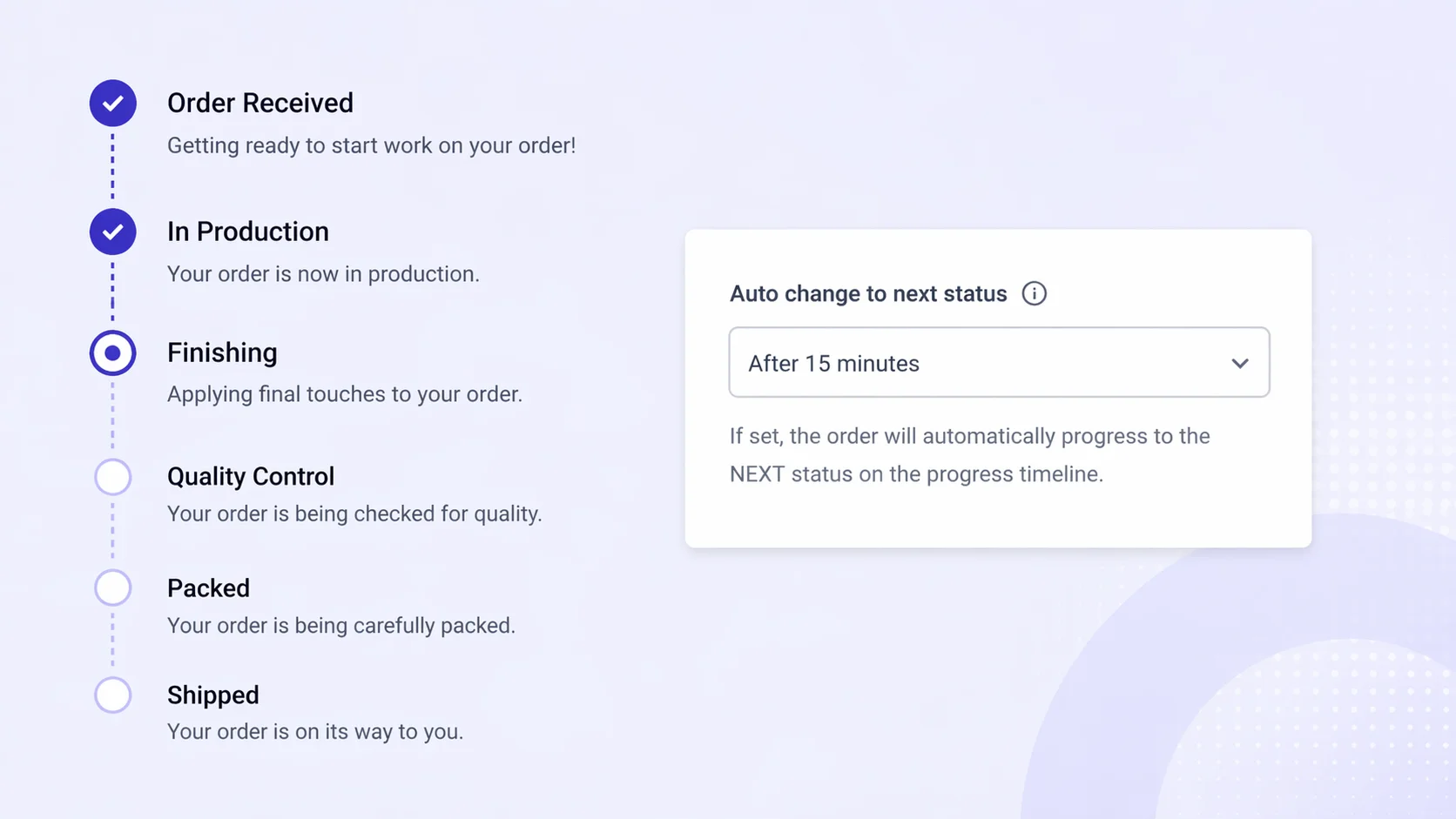
Custom statuses only help if they stay current
Custom order statuses give customers a clear view of where their order stands. That only works if the status on the page actually matches reality. The moment a label goes stale, the benefit disappears and the support tickets come back.
Keeping statuses accurate by hand is fine on ten orders a day. It becomes impossible by the time you are doing a hundred, and actively harmful during a peak sale. The fix is not more discipline from your team. It is automation.
Start with a default status the moment an order is placed
Every order should land in a known state the instant the customer clicks pay. Leaving the first status blank, or relying on a staff member to set it later, creates a window where the order page is either silent or wrong.
Set a default status that fires automatically on order received. Something like "Order received, queued for processing" is enough. It is the baseline that every other automation builds on.
This single default removes the most common failure mode in custom status systems: the post-purchase page that shows nothing for the first hour because nobody has touched it yet.
Let Shopify fulfillment do the obvious work
The second guaranteed signal in any order is the moment it moves from unfulfilled to fulfilled. Wiring a status change to that event removes a whole class of manual updates.
The rule is simple: when Shopify marks the order as fulfilled, the status advances automatically. "Shipped" or "Handed to carrier" are the usual labels, but the important part is that the trigger is reliable and tied to a system event you already use.
Between a default on order received and an update on fulfillment, most orders now have their two most important transitions handled without anyone doing anything.
Fill the middle with time-based progression
The hard part of any custom status flow is the middle. The stages between "received" and "shipped" often do not map cleanly to a Shopify event. Production, quality checks, packing, staging: these are real stages, but Shopify does not know about any of them.
Time-based automation is the cleanest way to cover that gap. If you know that packing typically begins twenty-four hours after an order is placed, set the status to advance automatically at that point. Same for quality check, same for staging.
The goal is not surgical precision. The goal is to show forward motion during the period where customers are most likely to check the order page. A status that moves on a predictable schedule is almost always better than a status that sits still because nobody clicked a button.
Time-based rules also give you a sensible fallback during busy periods. Your team may be behind on manual updates, but the status still reflects roughly where the order should be.
Use Shopify Flow for logic-driven changes
Defaults, fulfillment, and timing cover most orders. The exceptions are where Shopify Flow earns its place.
Flow is the right tool when the status change depends on something about the order itself. A few common examples:
- Set a different status for wholesale orders than retail ones
- Apply a "backorder" status when a specific SKU is in the cart
- Branch the flow for pre-order products versus in-stock products
- Hold orders above a certain value for a manual review status
These are conditions your team already reasons about internally. Flow lets you encode that logic once so the status page reflects it automatically for every order going forward.
The advantage of Flow is that it lives inside Shopify. The triggers, conditions, and actions all run on data you already have, which means you can layer status rules on top of the same order attributes your ops team already uses.
Use the API for anything Flow cannot reach
Some status changes depend on systems outside Shopify. A production management tool marks a piece as finished. A 3PL warehouse scans a package. A custom quality control app approves a run.
For these, the API is the right entry point. Your external system can trigger a status change the moment the real-world event happens, which gives you the most accurate possible order page.
API-driven updates are especially useful for brands with mature operational tooling. If you are already emitting events when work happens internally, having those events update the customer-facing status is usually a small addition with a large payoff.
Layer them, do not choose between them
These five mechanisms are not alternatives. A well-run status flow uses most of them together:
- A default fires on order received.
- A time-based rule advances the order through production stages.
- A Shopify Flow rule branches for special order types.
- An API call from the warehouse marks the order as packed.
- A fulfillment event moves it to shipped.
Every stage is handled by the system closest to the real event. The result is a status page that stays accurate without your team touching it for most orders, and that only requires manual attention when something actually deviates from the norm.
Final takeaway
Custom statuses are valuable because they tell the customer something true. Automation is what keeps them true at scale. The combination of a solid default, fulfillment-triggered changes, time-based progression, and Flow or API triggers gives you an order page that reflects reality without turning into a second full-time job for your operations team.
StatusPro supports all five of these automation paths, so Shopify merchants can keep their custom statuses current across thousands of orders without adding manual work.