
The StatusPro API: A Practical Guide for Shopify Merchants and Developers
A walkthrough of the StatusPro API for Shopify merchants who need to drive order statuses, due dates, and comments from their own systems.
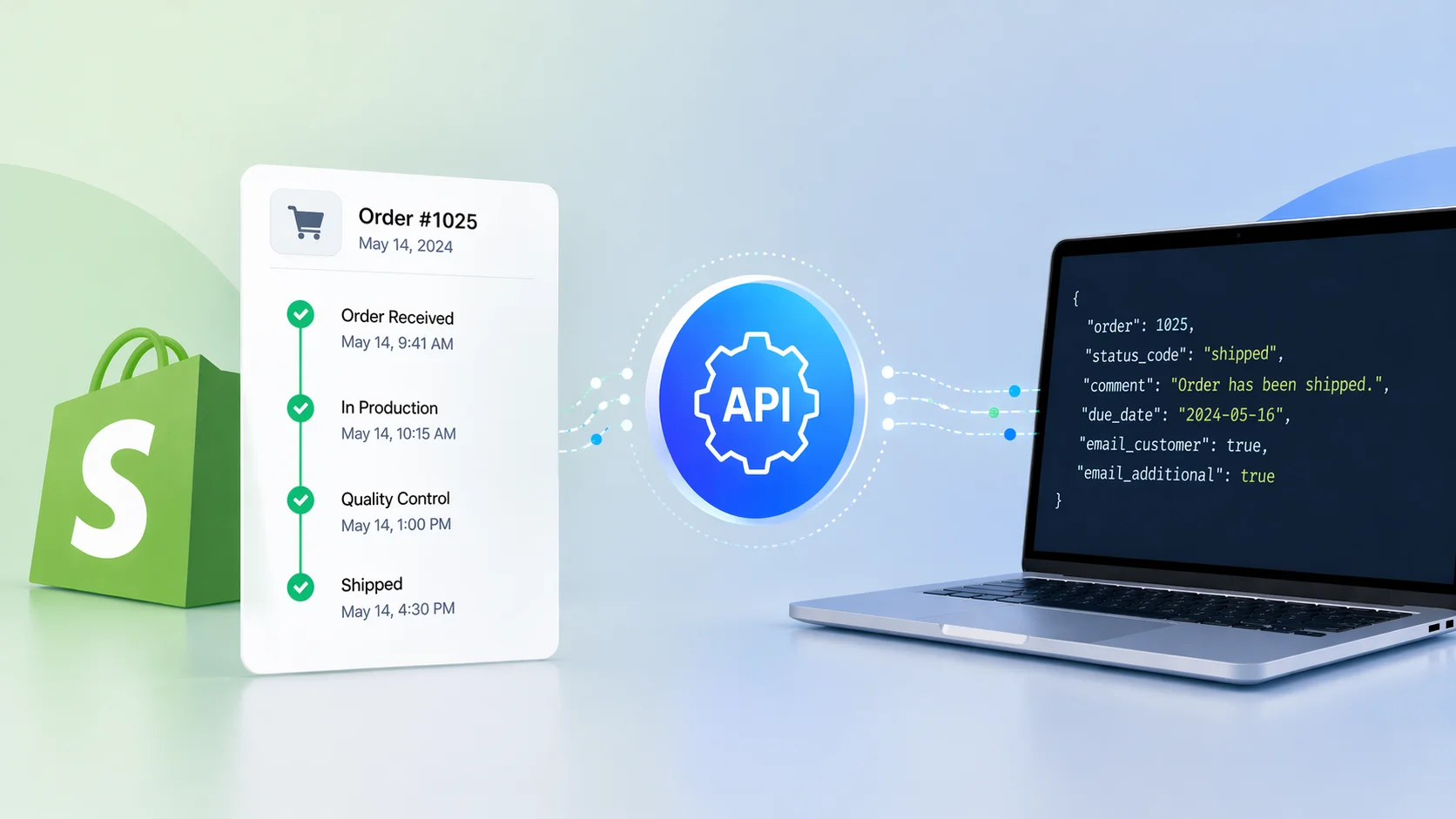
When custom statuses need to follow real-world events
Most StatusPro workflows can be built inside Shopify. Default statuses on order creation, status changes on fulfillment, time-based progression, and Shopify Flow rules cover the majority of stores.
The API is what you reach for when the event that should move an order does not live inside Shopify at all. A production management system marks a piece as finished. A 3PL scans a package. A quality control app approves a batch. The sooner that event becomes a status change on the customer-facing order page, the more accurate the experience.
This post is a practical tour of the StatusPro API, grouped by what you would actually do with it.
Authentication and rate limits
Every request is authenticated with a bearer token:
Authorization: Bearer YOUR_API_KEY
Rate limits are per API client:
- All
/api/v1endpoints: 60 requests per minute. POST /api/v1/orders/bulk-status: additionally limited to 5 requests per minute.
For most internal tooling, 60 per minute is comfortable. When you are running larger operations, the bulk endpoint is the right tool rather than looping over singles.
Writing to orders
These are the endpoints that change what the customer sees.
Update a single order status
POST /api/v1/orders/{order}/status moves one order to a new status. The minimum payload is the status code:
{
  "status_code": "st000002",
  "comment": "We have received parts and commenced production.",
  "public": true,
  "email_customer": true,
  "email_additional": true
}
The optional fields are worth knowing. comment attaches a note to the change, public controls whether that note is visible to the customer, and the two email_* flags control who gets notified. Both email flags default to true, so silent updates require an explicit opt-out.
This is the endpoint your internal systems will call most often.
Bulk status updates
POST /api/v1/orders/bulk-status queues a status change for up to 50 orders at once. It is the right endpoint for warehouse batches, scheduled drops, or production runs that all advance together.
{
  "order_ids": [6110375248088, 6110375248089],
  "status_code": "st000003",
  "comment": "Batch moved to shipped",
  "public": false,
  "email_customer": true,
  "email_additional": false,
  "send_at": 1717248000,
  "due_date": "2026-04-25"
}
Two extras appear here. send_at is a Unix timestamp for scheduling the customer email. It is useful if you want to batch updates during the day but only notify customers in the evening. due_date applies a YYYY-MM-DD date to every order in the batch.
The response returns a count and the current limit so you always know how many orders were accepted.
Add a comment
POST /api/v1/orders/{order}/comment adds a standalone note to an order without changing the status. Useful for audit trails, internal memos, or customer-facing explanations that do not fit a status transition.
{
  "comment": "Customer requested a later ship date.",
  "public": true
}
Comments are plain text, three to one thousand characters. public: true surfaces the note to the customer; the default is internal-only.
Set a due date
POST /api/v1/orders/{order}/due-date sets the customer-facing due date. It accepts either a single date or a range:
{
  "due_date": "2026-02-10",
  "due_date_to": "2026-02-12"
}
Send due_date: null to clear the date. The range requires the due date range feature to be enabled on your account, and due_date_to must be after due_date.
Reading from orders
These are the endpoints you use to sync with your own systems, build dashboards, or drive conditional logic.
Get a single order
GET /api/v1/orders/{order} returns the full order record. The response includes customer details, the current status (with translations, if configured), a complete history of every status change and comment, a public progress timeline, and the current due date.
The history entries include mail logs where relevant, so you can confirm whether a notification was actually sent and its delivery status. That alone removes a lot of "did the customer get the email?" investigations.
The public_progress_timeline is particularly useful. It mirrors what the customer sees on the order page, marking each stage as Complete, Current, or Incomplete. If your own app or internal dashboard needs to show the same progress view, this is the data to build on.
List orders with filters
GET /api/v1/orders returns a paginated list. It supports the filters operations teams actually use:
searchacross order name, order number, customer name, and customer email.status_codeto narrow by a specific status.tags(all must match) andtags_any(any may match) for tag-based segmentation.financial_statusandfulfillment_statusarrays for standard Shopify statuses.exclude_cancelledto skip cancelled orders.due_date_fromanddue_date_tofor due date windows.per_pageup to 100 (default 15).
A common use case: every morning, fetch all orders where the due date falls within the next forty-eight hours and the status is still "in production." That single query powers a production meeting better than any spreadsheet.
List defined statuses
GET /api/v1/statuses returns every status defined on your account, including name, description, code, and color. Useful when you are building an internal UI that needs to render a dropdown, or validating a status code before writing.
Viable next statuses for an order
GET /api/v1/orders/{order}/viable-statuses returns only the statuses that the order is actually allowed to move to, based on its tags and excluding its current status.
This is the endpoint to use when you are building your own order-editing UI. Instead of showing every status and risking an invalid transition, you can populate the dropdown with exactly the options that apply to this specific order.
Customer-facing order lookup
GET /api/v1/orders/lookup?number=1188&email=jon@example.com returns an order by order number and customer email. It is designed for customer-facing surfaces.
If you are building a tracking page on your storefront, a customer-service portal, or a mobile app, this endpoint is how you expose StatusPro data without handing out internal order IDs. It returns the same rich shape as the single-order endpoint, including the public progress timeline.
Where the API earns its place
Three patterns show up repeatedly:
Production tooling integration. A workshop management app emits an event when a piece is finished. A small script maps that event to POST /orders/{order}/status with the appropriate status code. The customer sees "crafted" the moment it is true.
Warehouse automation. A scan at the packing station hits the API with a bulk status update for every order in the batch, setting them to "packed and ready to ship." The customer notification is scheduled for later in the day using send_at.
Operations dashboards. An internal tool queries GET /orders with due date and status filters to show what needs attention this week. The same tool uses the comment and due date endpoints to keep the customer-facing order page aligned when a date has to move.
In each case, the API is what lets the status system reflect something your store already knew internally but had no way of showing the customer.
Final takeaway
The StatusPro API is the bridge between your internal operations and your customer-facing order experience. When something meaningful happens in your warehouse, your workshop, or your ops tools, the API lets that event show up on the order page and in the customer's inbox without a single manual step.
StatusPro gives Shopify merchants a complete API for managing order statuses, due dates, and comments programmatically, so your custom statuses stay current no matter where the events that drive them actually happen.