
Writing Shopify Order Status Emails Customers Actually Open
Order status emails are the most-opened messages a Shopify store sends. Here is how to write ones customers actually read, trust, and stop replying to with support tickets.
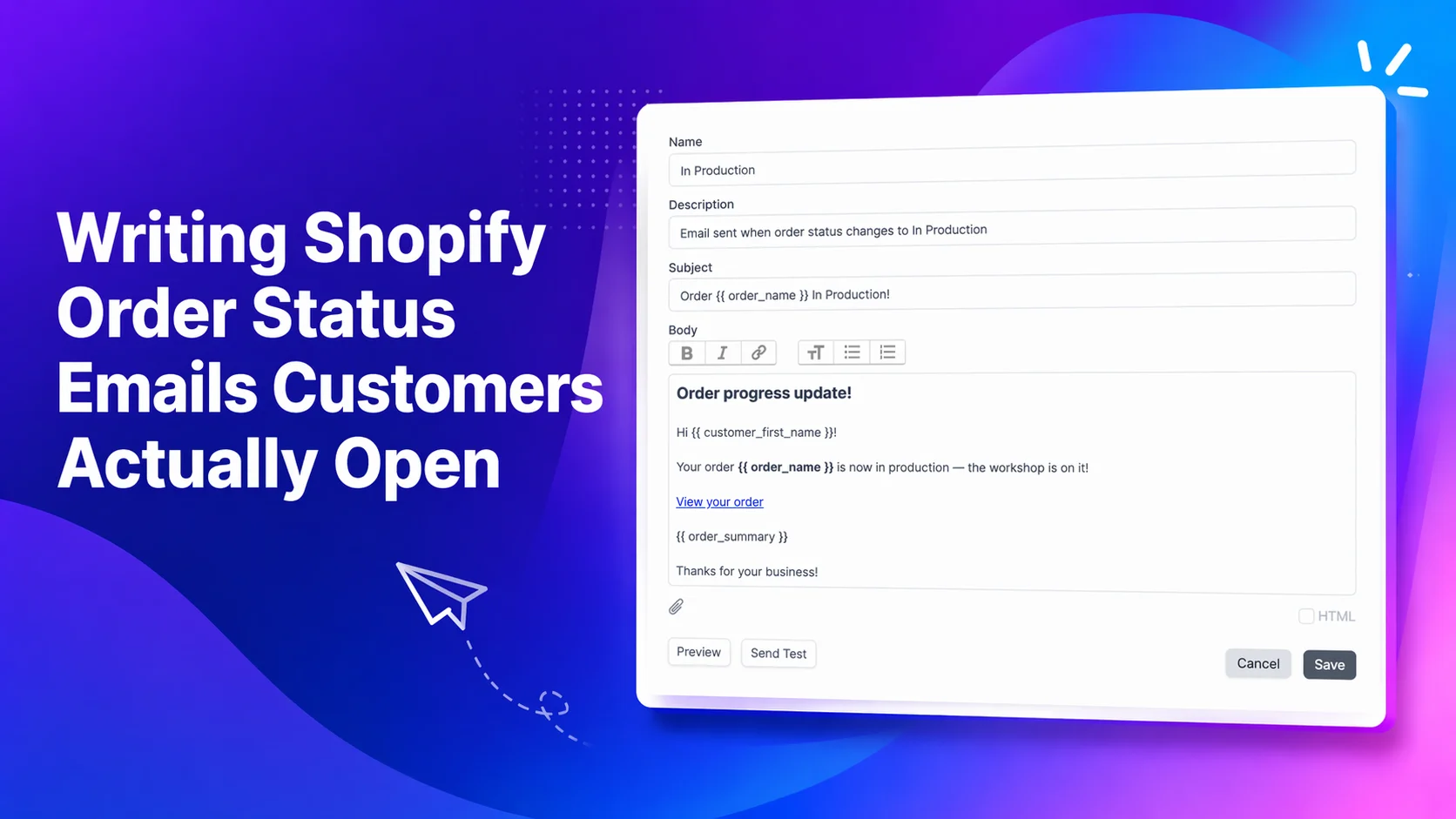
The most-opened email your store sends is also the least considered
Order status emails have some of the highest open rates of any message a Shopify brand sends. Customers are waiting for them. They scan the subject line, tap through, and either feel reassured or reach for the support form.
Most stores still treat these emails as a plumbing problem. Default template, default wording, send and forget. That is a missed opportunity, because the customer is already paying attention.
What a good order status email does
A status email is not a marketing email. It is a receipt of progress. The job is small but specific:
- Tell the customer exactly what has changed.
- Tell them what happens next.
- Remove any reason to open a ticket.
Everything else is decoration. The best status emails are short, specific, and written in the same voice the customer heard when they bought the product.
Write for the moment the email lands
A status email is read in three seconds, on a phone, in a notifications pane. That shapes every decision.
- The subject line should say what happened, not what the brand feels. "Your order is being packed" beats "An update on your order".
- The first line should repeat the status in plain language so the preview text is useful.
- The body should answer one question: what does the customer need to know right now?
If a customer has to scroll to find out why they got the email, the email is already failing.
Match the email to the status, not the brand calendar
The fastest way to lose trust is to send a status email that does not match the order page. The two are read together. If the email says "shipped" and the order page says "in production," the customer assumes something is broken and opens a ticket.
Tie every email to a specific status transition. When the order moves from "in production" to "packed," the packed email fires. When it moves to "ready for pickup," the pickup email fires. One status, one message, same wording on both sides.
Translate for the customers you actually have
A Shopify store with customers in five countries is sending one-language emails to four of them by default. Even a rough translation feels more considered than fluent English to a customer who prefers their own language.
StatusPro lets merchants generate translated versions of any email template with AI, so a single template can ship in every language a store sells into without rebuilding the content by hand. The translations sit alongside the original, and the right one is picked based on the customer's language at checkout.
We kept the template generator simple on purpose
Most email builders are overbuilt. Drag-and-drop grids, nested blocks, conditional logic. For an order status email, almost none of that is useful.
StatusPro ships an intentionally simple template generator. You write the content, preview how it will look, and send a test to your own inbox before it goes to a customer. That is the whole loop. If you can write an email in Gmail, you can build a status template in StatusPro.
The simplicity is the point. Status emails are not where a brand shows off layout skills. They are where it proves it has its operations in order.
Send from your own domain
StatusPro supports sending from your own custom domain, so the from address, reply-to, and authentication all line up with the rest of your brand's email. The customer sees a message from you, not from the tool you happen to use.
Brand it lightly
The temptation with any template system is to over-design. Full headers, hero images, footer grids, social links. On a status email, all of that works against the goal.
StatusPro keeps customisation minimal on purpose. An accent color and a logo. That is enough to make the email feel like part of the brand without burying the one line the customer actually came for. The email looks like yours. The content still reads in three seconds.
Use Shopify Flow when you want a different sender
Some brands already run their transactional email through Klaviyo or another provider. In that case, the cleanest setup is to let StatusPro handle the status change itself and let the other system handle the send.
StatusPro's Shopify Flow integration makes that straightforward. A status change fires the Flow trigger, and a Flow action calls into Klaviyo (or any other platform with a Flow connector) to send the email from there. The status is managed in one place, the send is handled by the tool your team already knows, and the two stay in sync.
This is a good pattern for brands with a mature email program who want status-driven sends without moving their templates or deliverability setup to a new system.
A small checklist before you ship a status email
Before any template goes live, run through five questions:
- Does the subject line state the status clearly?
- Does the first line repeat it for the preview pane?
- Does the body tell the customer what happens next?
- Does the email match the wording on the order page?
- Would you be happy receiving this as a customer?
If any answer is no, the template is not ready.
Final takeaway
Order status emails are read carefully, judged quickly, and remembered longer than most brands realise. A clear subject line, a matching order page, a custom-domain sender, and a light brand touch are usually enough to turn a routine notification into a moment of reassurance.
StatusPro gives Shopify merchants a simple way to write, translate, preview, and send those emails, whether they go out from StatusPro directly or through an existing tool like Klaviyo via Shopify Flow.